Posts

Showing posts with the label Cybersecurity

Hey there! We're hosting a Contest. Winners will be featured in the next blog post.

Learn More

What is “Root” in Android?

Image
Android Rooting If you are interested in Android, you must have come across the term “Root” atleast once. If you ever wondered what it is, then you are at the right place. You should know that Android is based off Linux. And if you are familiar with Linux, then you should know about “Root Permissions”. Or, you would have seen “Administrative Privileges” in Windows. “Rooting gives you complete control over the device you are using .” Android is a pretty locked-down system (though not as tight as iOS). You can’t change the basic UI i.e. making your ASUS look like a Huawei (except without launchers). You also can’t uninstall some apps placed in by your manufacturer by default. To do these things, you need to “Root” your device. Rooting gives you complete control over your device. By rooting your device, you can do anything.   You can even uninstall and reinstall Android on your device. So, what is Root? Here comes the complicated part. Whenever you boot i...

Your passwords are not safe enough!

Image
Image credit: Shutterstock Please read  this article on password storage before proceeding. Your passwords aren’t as safe as you thought they would be… “But wait, you mean anyone can crack my passwords?” Well, yes and no. It all depends upon you. If you have made the password good enough, it will not be easy to crack it.  If your password is something like your date of birth, your phone number, or something else like 1234 or qwerty or the ever famous “password”, then STOP reading this article, go back and CHANGE your password to something stronger RIGHT NOW. Who knows, maybe someone is in the process of cracking your password right this instant…… What makes a good, strong password? A strong password is one with atleast 6 letters, 2 numbers and one symbol, adding up to a minimum of 10 characters.  How are passwords cracked? Password cracking can be divided basically into 2 categories: 1.     General Methods. 2.   ...

Passwords-How do they work on websites?

Image
We are all familiar with passwords. We have to use them at least once if we have to live in this century.   We rely on passwords to protect a lot of things from social media accounts to bank accounts. Therefore it is necessary to know how this security system works. How (and where) are passwords stored? Perhaps one of the most widely asked questions of all time. Imagine a Social Media website like Facebook. If they stored the passwords in, suppose, a text file on the server (or database), a hacker can easily steal it if they get access to the server/database. So, what do they do? They usually code the passwords in a crypt called a “HASH”. Even if you managed to find the Hash-ed password from the database, you cannot decode it to obtain the password, because Hashes are one-way only. Then how do the websites know whether you typed the right password?   When you enter the password, the site converts it back to the hashed form. Then it compares this hash ...

What is Hacking ?

Image
          I have been planning to blog on this topic since I saw a movie in which a Hacker hacks a computer for stealing information. Speaking of which, many of you would have seen something like this in a movie:           The Hacker, alone, in a place completely isolated from it’s surroundings. He sits in front of a huge computer screen which is the only source of light in the dark room and starts typing furiously. A hundred windows keep opening and closing. The Hacker mutters something in an indecipherable language under his breath. Suddenly, a window pops open, saying “HACKING…”, the status bar starts ascending from 0%. The Hacker catches his breath. The status bar reaches 100%. It says “ACCESS GRANTED”. The Hacker stands up and cheers. What you have witnessed is a drama called “HOLLYWOOD HACKING”. This is far from the truth. What is Hacking? Actually, a “Hack” is a crea...

Share This !

Popular posts from this blog

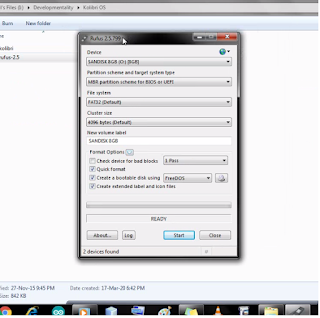
Installing KolibriOS into a USB flash Drive (feat. Rufus)

How to center icons in Windows 7 Taskbar